Poli AI
Poli AI
Poli AI is the assistant built into Poliris. Ask it about your audits in plain language: it answers from your project data, draws charts, prepares fixes and updates your roadmap when you ask.
Where to find it
- Full page: the Dashboard | Poli AI switch at the top of the sidebar opens Poli AI with your conversation history. Switch back to return to the page you were on.
- Chat bar: the bar at the bottom right of every page opens a smaller chat panel over the page you are reading.
- Ask about a card: with the chat panel open, click a card of the AI Reputation dashboards and Poli AI explains it.
- From the Roadmap: technical tasks and Discuss with buttons open a conversation with the brief of the action.
The team
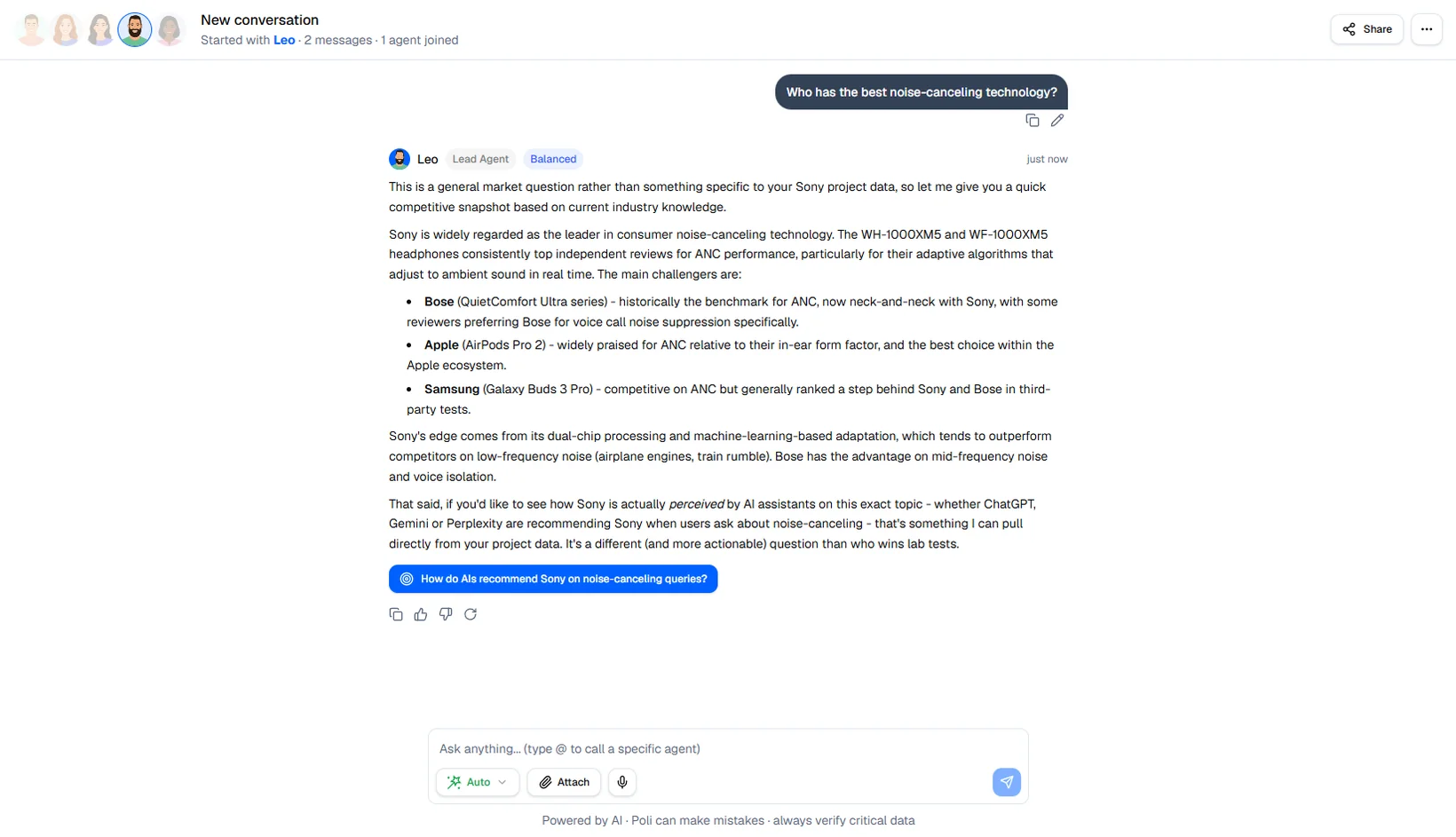
Poli AI answers through specialized personas. Leo routes each question to the right one; type @ and a name, for example
@nora, to ask a persona directly.
| Persona | Role | Ask about |
|---|---|---|
| Leo | Lead Agent | General questions, summaries, what to do next. |
| Nora | GEO Analyst | Visibility and sentiment in AI assistants, competitors, sources. |
| Tom | Technical SEO | The technical audit, crawlability, speed, structured data. |
| Kate | Content & Reputation Strategist | Content angles, existing pages, how you are described. |
| Ivy | Trend Strategist | Emerging questions and how the conversation in your market is changing. |
A paid media persona, Ryan, is planned and not available yet.
Speed
The selector in the message box chooses which model answers: Auto (default, chosen per message), Fast for quick lookups, Balanced for questions that cross several sources, Deep for plans and analyses. The default of the project is set in Project Settings › AI Agent.
What Poli AI knows
- Your AI Reputation results: visibility, sentiment per topic and per competitor, cited sources.
- Your technical audit: scores, failing tests, recommendations.
- The content of your crawled pages: what each page is about, pages that overlap, topics without a page.
- Your brand structure: products, topics, trading zones.
- The web, through a search tool and by reading public pages you mention (without logging in or running JavaScript).
What it can do
- Answer with text, charts and up to three follow-up buttons.
- Produce a PDF report or an Excel export of your data.
- Propose a fix as a card. Deploy applies it through the SEO pixel and Roll back removes it. With WordPress connected, the fix is written in WordPress.
- Create a WordPress draft article, and hand you over to Kate’s content studio for full articles.
- Add, move, remove or complete actions on your Roadmap, after asking for confirmation.
- Read files you attach: up to 5 per message, 20 MB each (PDF, images, text, CSV, Markdown). You can also dictate a message.
Nothing changes on your site or your roadmap without your click.
Conversations and memory
- Conversations are listed by date in the Poli AI sidebar and can be searched, renamed, exported (HTML, PDF or Markdown) or deleted.
- Edit any of your messages: the answer is generated again from that point.
- Tell Poli AI to remember something (“remember that our blog is at /journal”): it keeps preferences, decisions and facts per project. The saved memories are listed in Project Settings › AI Agent, where you can delete them.
- The answer language follows your messages; set a default language in the same settings.
What it does not do
- Launch or re-run an audit. Start audits from the dashboards.
- Change robots.txt, the sitemap, redirects or server settings.
- Work across projects: a conversation belongs to one project.
- Invent figures. When a number is not in your data, Poli AI says so. Check important figures anyway: like any AI model, it can be wrong.
Conversations with Poli AI do not use credits.