Act
Content
The Content tools write new articles, improve existing pages and plan series of articles. They use what Poliris knows about your brand, your site and the searches around your products. They are under ACTION › Content in the sidebar.
Generation
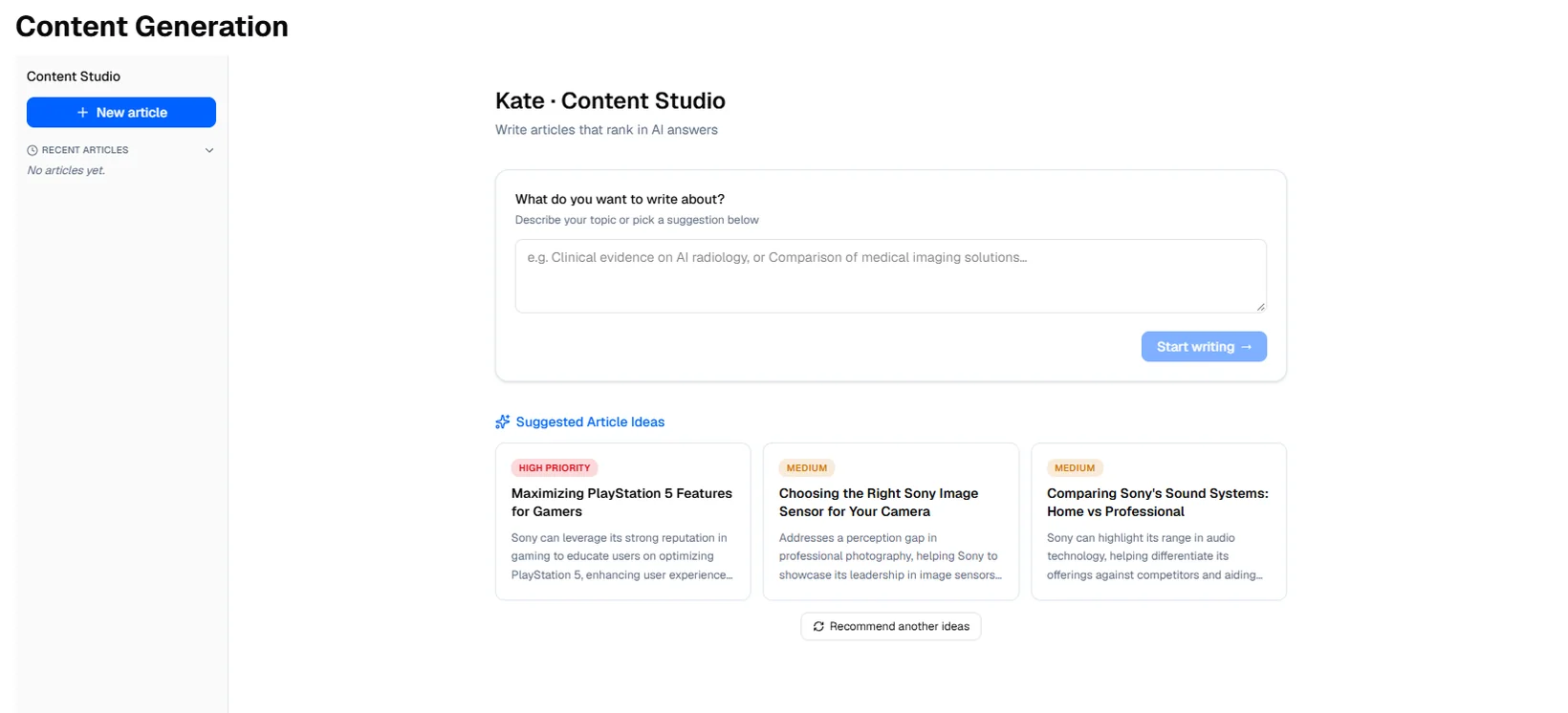
Generation is Kate’s content studio. The home screen asks what you want to write about and suggests three article ideas based on the gaps of your project. Generate ideas suggests others, and your recent articles are listed on the side. A precise subject takes you straight to the configuration; a vague request (“suggest content for my brand”) first offers a few angles to choose from.
-
Configuration
Fill in the article title, the audience, the tone, the target keywords (the first one is the primary keyword), the depth (from a short answer of 500 words to a pillar page of more than 2,000) and the article type: Guide, Comparison, How-To, Listicle, Case Study or Explainer. Kate sits in the right panel and can fill any field for you. Title, audience, tone, a primary keyword and at least one secondary keyword are required to continue.
The Grounding Data field holds the real facts about your business: prices, specifications, certifications, figures. Kate only states facts that are in this field; left empty, the article stays general. Suggest grounding data with AI proposes facts from your site for you to check. You can also choose an author, whose name and short bio appear in the article.
The Internal Links step proposes pages of your site to link to. Select the ones that fit.
-
Outline
Kate proposes the outline of the article. Edit the headings and their order before writing.
-
Article
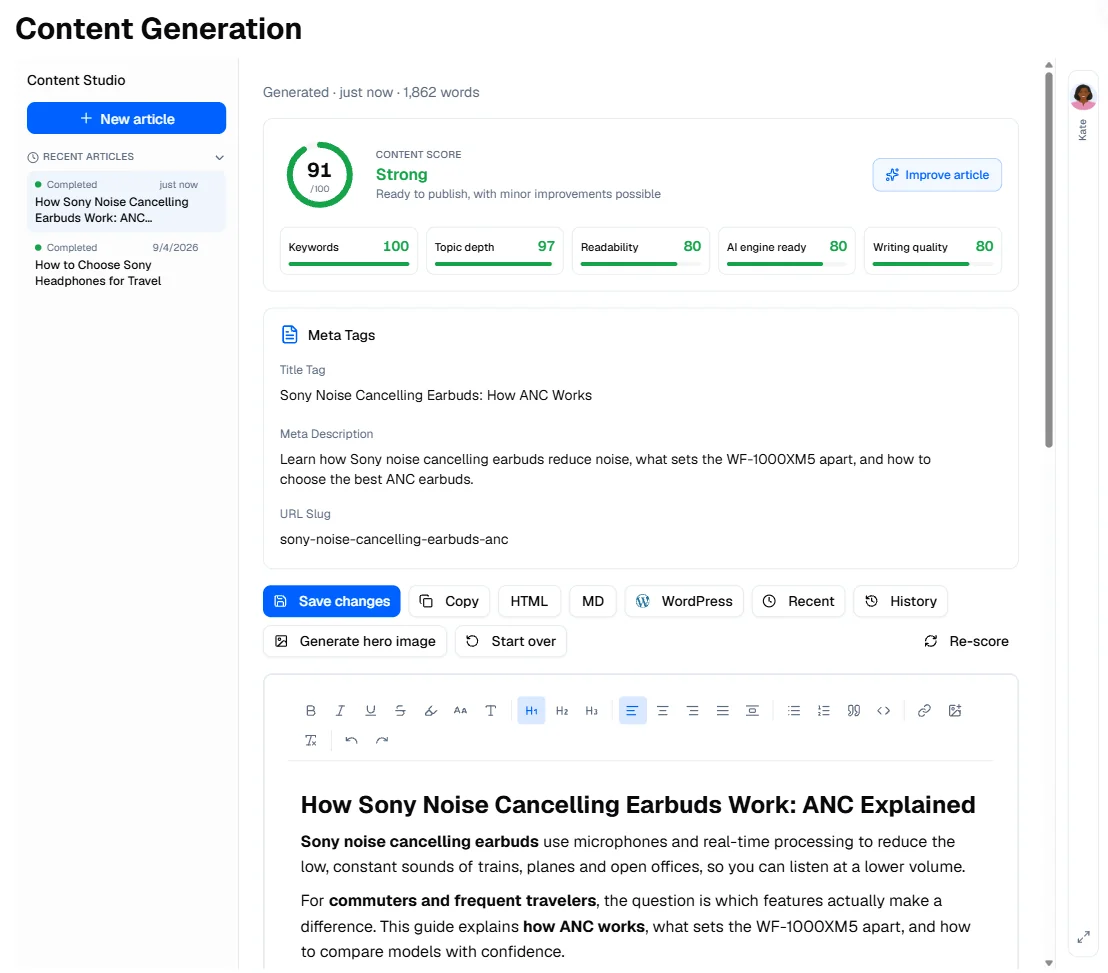
Kate researches the keywords, writes the article and gives it a content score.
The content score
The score, out of 100, rates the keywords, the depth of the topic, the writing, how easily AI assistants can quote the article, and its readability. The article is rated Excellent, ready to publish, Good or Fair. Internal links have their own score, shown apart. Improve article reworks the weakest parts to raise the score.
After writing
- Edit the article in place and save. History keeps the previous versions and restores any of them.
- Generate hero image creates an image for the top of the article.
- Copy the text, or download it as HTML (a complete page with title, meta description, canonical, Open Graph and structured data) or Markdown.
- With WordPress or Webflow connected, send the article to your CMS as a draft. Nothing is published without you.
Optimization
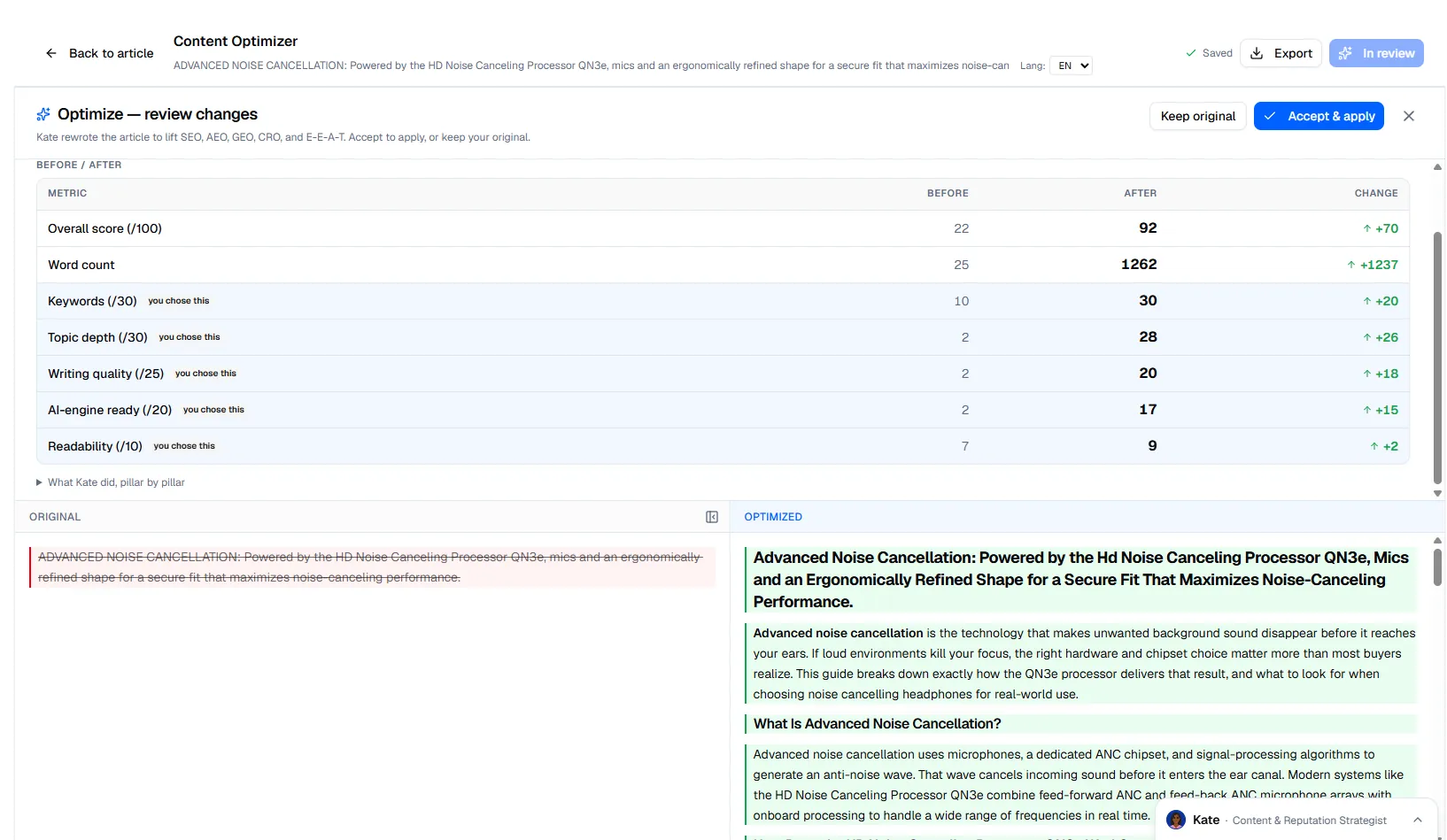
The Content Optimizer scores an existing page against a target keyword. Paste the text, or give a URL and click Fetch & optimize. Leave the keyword empty and Poliris detects it. You get the same score as for a new article.
Optimize this content lets you choose the keywords to work in (yours, those the top pages cover and you do not, what people search for, your products) and the links to add. Poliris then shows the original and the optimized version side by side. Accept & apply updates the text in the editor; export it as HTML, Markdown or plain text to publish it.
Long-term plan
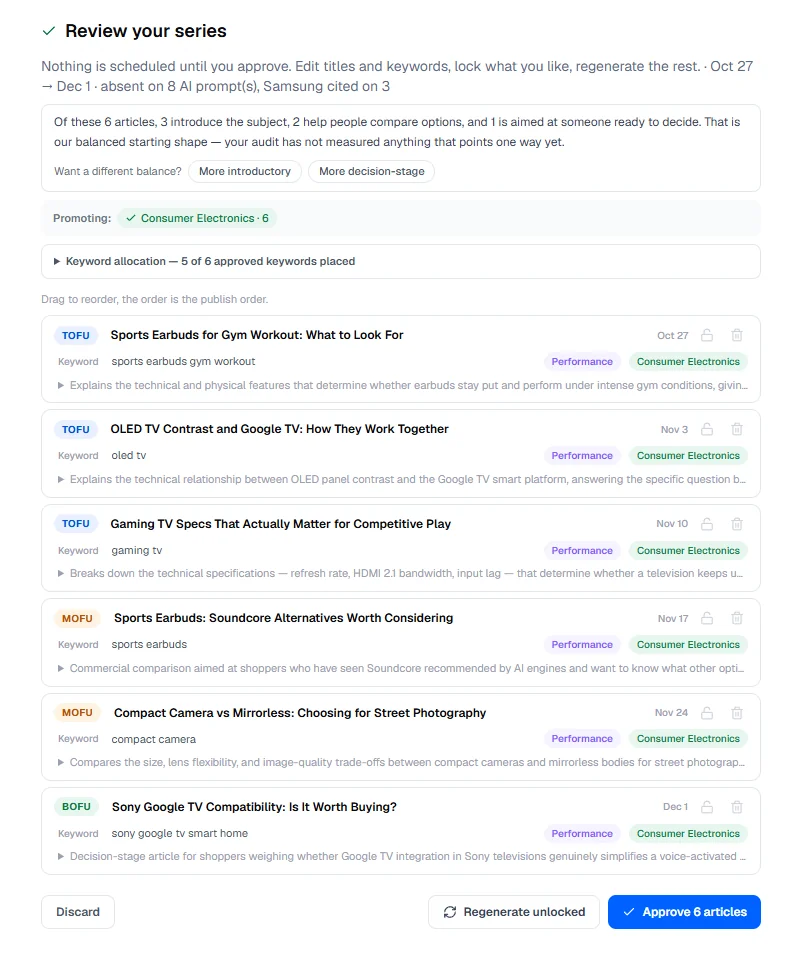
A long-term plan is a series of articles that work toward one goal over several weeks. Click New plan and choose:
- the brand and the objective: awareness, leads, product education or your own;
- the shape: Every article stands alone, or Own one subject with a pillar article and supporting articles linked to it;
- the products or categories to promote and, if you want, seed keywords;
- the number of articles per week and the duration, from 2 to 24 weeks (4 to 48 articles).
Poliris analyzes your brand and existing content, plans the articles, assigns keywords and formats, and schedules them. Nothing is scheduled before you review the series: edit titles and keywords, lock what you like, regenerate the rest, then approve. Approved articles appear on the Roadmap as content actions.